Dave's Slide Collection

Genghis

Western Thunderer
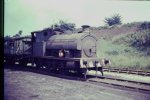
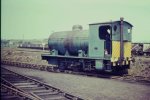
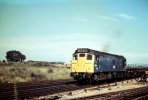
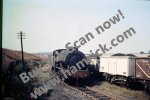
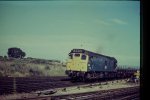
One advantage of our son leaving home is that I have been able to get into parts of the house that have been somewhat inaccessible for a while. I have now rediscovered my collection of 35mm slides, mostly from the early 1970's. They will be a mixture of BR diesels, Industrial steam and my trips abroad to find main line steam. Courtesy of Prime Day I've bought a scanner so have spent time uploading the first box. I'll post these and if there is interest I will add more. I'll need to shrink the file sizes first.
Having tried that and failed I'll seek help..............
 

PhilH

Western Thunderer
I'll need to shrink the file sizes first.
Having tried that and failed I'll seek help..............
Do you have a photo editing program, such as Photoshop ?
I usually scan 35mm negatives or slides at 2400dpi which gives a file size of about 2Mb, then edit with Adobe Photoshop and reduce the image size to 1000 pixels width. This gives a saved image file size of about 300-400 Kb which seems to work OK for posting here.
 

oldravendale

Western Thunderer
David - These are wonderful photos but they'll benefit hugely from a bit of post processing. I use Adobe Photoshop but others prefer other systems. It's worth a bit of research to find those which offer a free trial. I don't know of a system which is free but there may well be one or two out there.

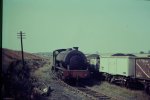
I've taken the liberty of doing a very quick (5 minute) Photoshop job on the first photo. With a bit more time it will improve very considerably. I hope I don't create an upset by doing this, David.

IMAG0001a.JPG
 

adrian

Flying Squad
Are you just using the software supplied with the scanner or something else?

Just to flag up potential for using Vuescan - this has a number of automatic colour correction features and batch processing methods, it's the one I would use for scanning slides as it has built in filters for correcting faded slides as you scan them.


Genghis

Western Thunderer
David - These are wonderful photos but they'll benefit hugely from a bit of post processing. I use Adobe Photoshop but others prefer other systems. It's worth a bit of research to find those which offer a free trial. I don't know of a system which is free but there may well be one or two out there.

I've taken the liberty of doing a very quick (5 minute) Photoshop job on the first photo. With a bit more time it will improve very considerably. I hope I don't create an upset by doing this, David.

View attachment 266969
Brian, no upset at all. It struck me that image improvement is required. With your tweaks we can now see the usual group of gricers on the bank behind the loco.

I just received the cheap scanner yesterday and was anxious to view slides that I haven't seen for forty years!
 

SimonT

Western Thunderer
Dave,
take a look at Affinity. It does everything and is free. I do the F7 instructions with Affinity.
Simon
 

oldravendale

Western Thunderer
I tried Affinity and didn't get on with it. Maybe I didn't have the patience to learn a new tool!

Vuescan certainly improves the photo significantly. It's not quite there but is a good starting point. Photoshop allows dirt removal either manually (which I far prefer) or using built in software. In fact that vertical line of fogging would not be too difficult to remove - I reckon it'd take about another five minutes.

It's certainly worth scanning the photos anyway. Then you have a master you can process as much as you like!

Brian
 

Heather Kay

Western Thunderer
The trouble with Photoshop is (i) Adobe, and (ii) the subscription model. Otherwise, it’s a fine and mature program.

I can understand switching to a different program can be a bind, especially learning new ways to do things. However, like others here, I’ve been using the Affinity suite for some years and really like it. Recently, the owners of the software, decided to give the whole thing away for free. its worth persevering with, in my opinion.

Im also a VueScan user. While I’m not currently using it at industrial scale, I have a lot of old photos in my life that I want to digitise. I opted to purchase the lifetime license, so I get the latest version all the time.
 
Last edited:

oldravendale

Western Thunderer
A wonderful range of options being discussed here. As with all things I guess it's whatever one is comfortable with and I'm not trying to champion Photoshop/Adobe at all. It's just a matter of what works for me and with the volume of photos i have to deal with (and that's a self imposed and most enjoyable process) it makes sense for me to spend the time actually working on them rather than spending that time learning a new system. Photoshop is far from perfect but it gives me a 90% result and at this stage that's just what I'm after,

Brian
 

hrmspaul

Western Thunderer
Are you just using the software supplied with the scanner or something else?

Just to flag up potential for using Vuescan - this has a number of automatic colour correction features and batch processing methods, it's the one I would use for scanning slides as it has built in filters for correcting faded slides as you scan them.

Agree. One second to hit "Auto adjust colors" can make sufficient difference without needing to do anything else. But there are a multitude of possible tweaks available. And setting the scanner to the type of original photographic material can make a difference. And no need to worry about file sizes as all that can be preset if you don't want to maximise the scan quality.

Paul
 
Top